Guides · 6 min read · 11 August 2026
Beginner's Guide to PellGlobal: Your First 7 Days
A simple seven-day guide for new PellGlobal members covering account activation, daily tasks, referrals, reward games, balances and withdrawal requirements
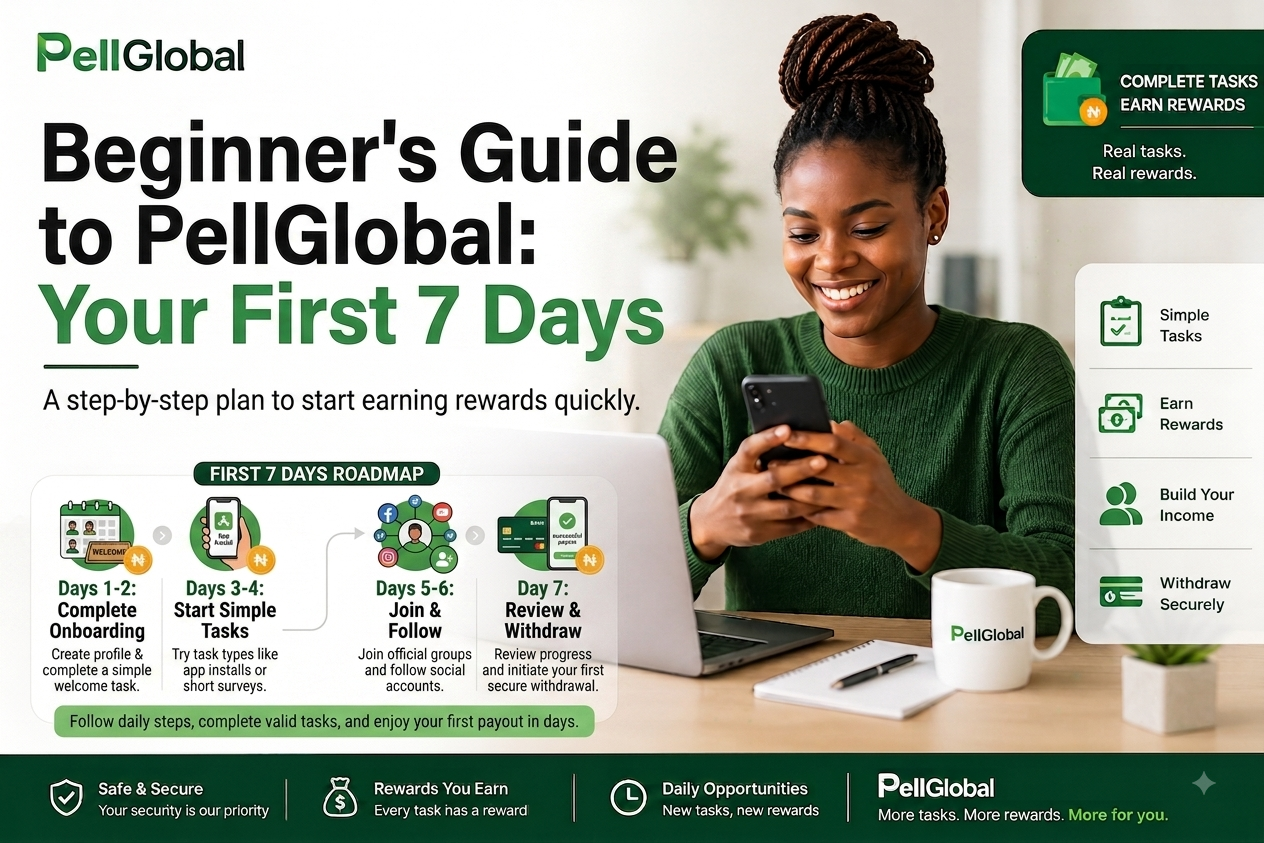
# Beginner's Guide to PellGlobal: Your First 7 Days
Joining a new online rewards platform can feel confusing when you do not know where to start.
PellGlobal brings daily tasks, referral rewards, reward games, marketplace opportunities and other digital earning features into one dashboard.
This seven-day guide gives new members a simple starting point.
Day 1: Create Your Account
Start by registering your PellGlobal account.
After registration, sign in and explore your dashboard.
Take some time to understand the main sections:
- Dashboard
- Daily Tasks
- Task History
- Games
- My Wallet
- Transactions
- Withdraw
- Invite & Earn
- Marketplace
- Advertise
- Upgrade Plan
Do not rush into completing tasks before reading the instructions for your account and plan.
Day 2: Understand Your Plan
Review the available PellGlobal plans.
Each plan has its own activation fee, rewards and available features.
Before choosing a plan, check the current information displayed on the Upgrade Plan section.
Make sure you understand:
- Activation requirements
- Task rewards
- Referral rewards
- Available features
- Withdrawal requirements
Choose based on your own situation rather than selecting a plan because someone else recommended it.
Day 3: Complete Your First Task
Open the Daily Tasks section and look through the available tasks.
Choose an eligible task and read all instructions before starting.
Complete the required activity exactly as described.
If proof is required, submit clear and valid proof after completing the task.
Your submission goes through review before the reward is credited.
Day 4: Check Your Task History
By your fourth day, start paying attention to your task history.
Task History helps you track your submissions and their status.
A submission might be:
- Pending
- Approved
- Rejected
- Available for resubmission
If a task is rejected, read the reason provided and correct the issue before resubmitting where the platform allows it.
Avoid submitting the same proof repeatedly without fixing the problem.
Day 5: Explore Referrals
Open the Invite & Earn section and review your referral information.
Your account provides a personal referral link.
If you know people who are interested in PellGlobal, share your link with them and explain how the platform works.
Tell them about the account activation process, available tasks, referral system and current withdrawal requirements.
Do not promise guaranteed earnings.
Referral rewards follow the current PellGlobal referral rules and eligibility requirements.
Day 6: Explore Reward Games and Other Features
PellGlobal also provides reward games and other features for eligible members.
Visit the Games section and check what is available to your account.
You might also explore:
- Marketplace
- Advertise
- Referral Program
- Help Center
Some features have specific eligibility requirements or fees.
Read the information displayed before using them.
Day 7: Review Your Progress
At the end of your first week, review your account.
Check:
- Approved task rewards
- Pending task submissions
- Referral activity
- Referral Balance
- Task Balance
- Wallet activity
- Available features
- Withdrawal requirements
This gives you a clearer picture of how you are using the platform.
Understanding Your Balances
PellGlobal separates different types of balances so members can track their account activity.
Your dashboard might show:
- Total Balance
- Task Balance
- Referral Balance
- Deposit Balance
Task rewards are credited to your Task Balance after approved submissions.
Referral rewards are credited according to the referral program requirements.
Always check the current withdrawal rules before requesting payment.
When Should You Withdraw?
Do not request a withdrawal simply because you have received your first reward.
First check whether you meet the current minimum and whether the withdrawal window is open.
The current Task Balance minimum withdrawal is ₦2,000.
The current Referral Balance minimum withdrawal is ₦1,000.
Withdrawal schedules and requirements are displayed on the platform and might be updated.
Mistakes New Members Should Avoid
New members often make avoidable mistakes.
Avoid:
- Starting a task without reading the instructions
- Submitting unclear proof
- Creating duplicate accounts
- Sharing inaccurate information
- Making false referral claims
- Requesting withdrawals below the minimum
- Ignoring withdrawal schedules
- Sharing your password or security codes
- Spending money on a plan without understanding its requirements
Take time to understand each feature before using it.
How to Make Your First Week Productive
You do not need to use every feature immediately.
A simple approach is:
- Learn how your account works.
- Understand your plan.
- Complete eligible tasks correctly.
- Submit valid proof.
- Monitor your task submissions.
- Explore referrals.
- Review your balances.
- Learn the withdrawal requirements.
Consistency and accurate task submissions are more useful than rushing through activities.
What Happens After Your First Week?
After your first seven days, continue checking Daily Tasks for new opportunities.
Monitor your Task Balance and Referral Balance.
Keep track of your task history and review new platform announcements or changes to withdrawal requirements.
As you become familiar with PellGlobal, you can explore other features available to your account.
Your PellGlobal Journey Starts With Understanding
Your first week should focus on learning how the platform works.
Understand your account.
Read task instructions.
Complete eligible activities.
Submit proper proof.
Track your rewards.
Learn the withdrawal requirements.
Once you understand these basics, using PellGlobal becomes easier and more organized.
Visit your PellGlobal dashboard to continue exploring the features available to your account.
Ready to start earning?
See the plans, how daily tasks pay, or read the help center.
Join PellGlobal freeRelated articles
Guides
How PellGlobal Works: From Signup to Your First Withdrawal
A simple guide to joining PellGlobal, activating your account, completing tasks, earning rewards, using referral features and requesting your first withdrawal.
Referrals
How Referral Rewards Work on PellGlobal
Learn how the PellGlobal referral program works, how to share your referral link, how referral rewards are credited and what members should know before inviting others.
Tasks
Daily Online Tasks That Pay in Nigeria
Learn how paid online tasks work in Nigeria, the types of tasks available, how rewards are credited, and how to approach task platforms safely.